





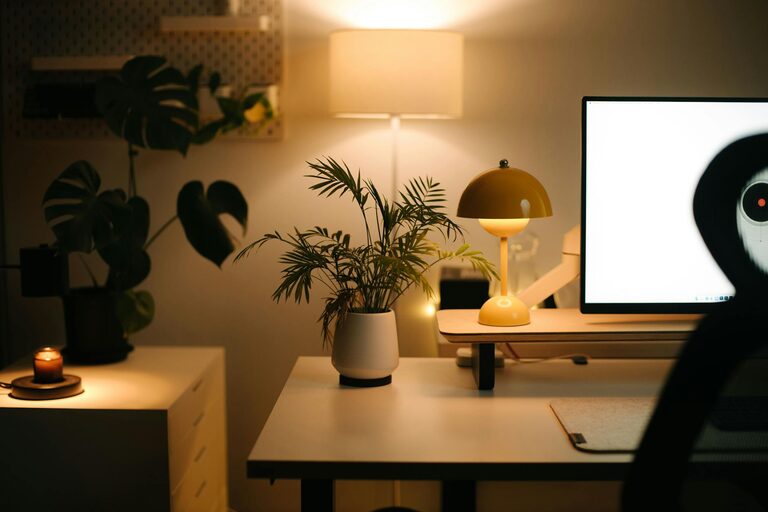
Creating a home office that feels both cozy and productive can significantly improve your work-from-home experience. Whether you’re setting up a new workspace or refreshing an existing one, the right environment can boost your focus, creativity, and overall well-being. Here are practical tips to help you design a home office that supports comfort and productivity.
Choose the Right Location
The first step to building an effective home office is selecting a location that suits your work style.
– Quiet Space: Pick a spot away from household noise and distractions to help maintain concentration.
– Natural Light: If possible, position your desk near a window. Natural light enhances mood and reduces eye strain.
– Privacy: Make sure the area offers enough privacy for calls, meetings, and focused work.
Prioritize Comfort with Ergonomic Furniture
Comfort is key to sustaining productivity during long hours.
– Supportive Chair: Invest in an ergonomic chair that supports your back and encourages good posture.
– Adjustable Desk: Consider a desk with adjustable height to alternate between sitting and standing.
– Proper Desk Size: Ensure your desk has enough space for your computer, notebook, and other essentials without feeling cramped.
Organize for Efficiency
An organized workspace helps clear your mind and improve workflow.
– Declutter Regularly: Remove unnecessary items that can distract or crowd your desk.
– Storage Solutions: Use shelves, drawers, or storage boxes to keep papers and supplies tidy.
– Cable Management: Keep cords organized and out of sight with clips or cable sleeves.
Use Soothing and Inspiring Decor
Your surroundings can impact your mood and creativity.
– Color Palette: Choose calming colors like soft blues, greens, or neutrals to create a peaceful atmosphere.
– Personal Touches: Add photos, artwork, or plants that inspire and make the space feel welcoming.
– Lighting: Supplement natural light with adjustable lamps that reduce eye strain and set a cozy tone.
Minimize Distractions
A distraction-free environment supports sustained focus.
– Noise Control: Use noise-cancelling headphones or play soft background music if needed.
– Designate Work Hours: Set clear boundaries with family or housemates about your work schedule.
– Separate Work and Leisure: Avoid mixing work areas with relaxation spaces to maintain mental separation.
Incorporate Technology Wisely
Having the right technology setup can streamline your tasks.
– Reliable Internet: Ensure a strong and stable internet connection to avoid interruptions.
– Essential Devices: Use a quality monitor, keyboard, and mouse to reduce discomfort and boost efficiency.
– Backup Solutions: Keep your work backed up with cloud storage or external drives.
Pay Attention to Air Quality and Comfort
Physical comfort goes beyond furniture and lighting.
– Ventilation: Open windows or use air purifiers to maintain fresh air circulation.
– Temperature Control: Use fans, heaters, or portable air conditioners to keep the temperature comfortable year-round.
– Plants: Indoor plants can improve air quality and add a touch of nature to your workspace.
Establish a Daily Routine
A home office is most effective when combined with a consistent routine.
– Set Start and End Times: Define your working hours to create a balance between productivity and rest.
– Breaks: Schedule short breaks to stretch, hydrate, and refresh yourself.
– Task Lists: Plan your day with to-do lists or digital planners to stay organized.
Final Thoughts
Creating a cozy and productive home office is a balance of comfort, organization, and personal preference. By carefully choosing your space, investing in ergonomic furniture, minimizing distractions, and adding personal touches, you can make your home office a place where work feels both enjoyable and efficient. Remember, the best workspace is one that meets your unique needs and helps you do your best work every day.


More Stories